DevKit for Windows v1.1.3
Complete PHP development environment for Windows 10 and Windows 11
📦 What's Included
💻 System Requirements
-
Operating System:
Windows 10 (version 1809 or later) or Windows 11 -
Architecture:
x64 (64-bit) -
Memory (RAM):
2 GB minimum (4 GB recommended) -
Disk Space:
1.5 GB free disk space - Administrator privileges for installation
- Internet connection for initial setup
- Windows Defender or antivirus may require approval
🎉 What's New in Version 1.1.3
- PHP 8.4.2 - Latest stable release with Windows-specific optimizations
- MariaDB 11.8 LTS - Enhanced Windows compatibility
- Nginx 1.28 - Native Windows build with improved performance
- Redis 7.2.8 - Windows-optimized version
- Composer 2.9.3 - Faster dependency resolution
- phpMyAdmin 5.2.3 - Modern UI with dark mode support
- New: Silent install mode for automated deployments
- Fixed: PATH environment variable not updating on some systems
- Fixed: Service startup delays on slower machines
- Improved: Installation wizard with better error messages
📖 Quick Installation Guide
1Download the Installer
Download the Windows installer (devkit_1.1.3_win64.exe, 204 MB)
Download Now2Windows Security Warning
When you run the installer, Windows SmartScreen may show a warning: "Windows protected your PC"
This is expected for new software. DevKit is safe to install. To proceed:
- Click on "More info"
- Click "Run anyway"
This warning appears because the installer is not yet widely recognized by Microsoft SmartScreen. As DevKit gains more downloads, this warning will disappear.
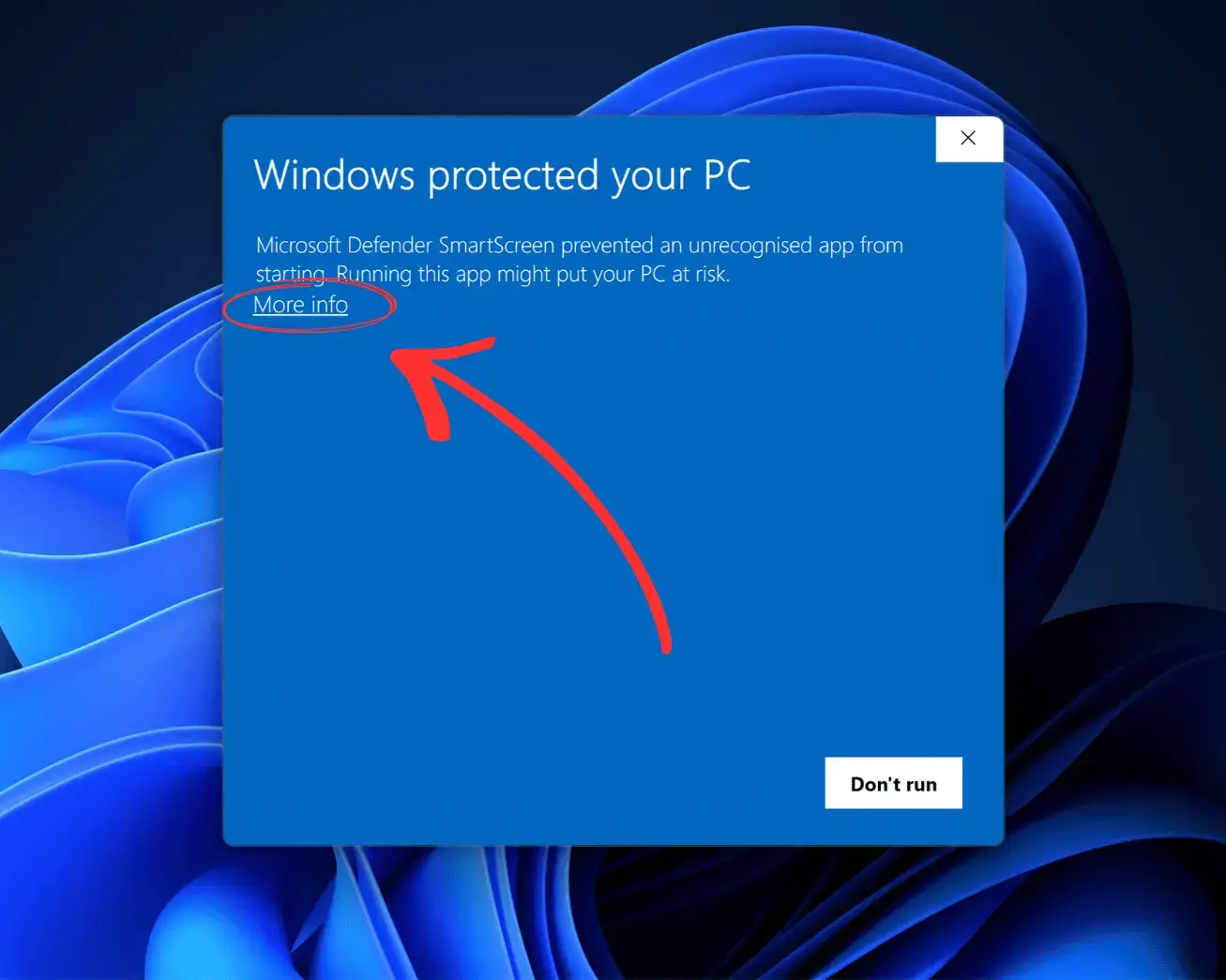
Step 1: Click "More info"
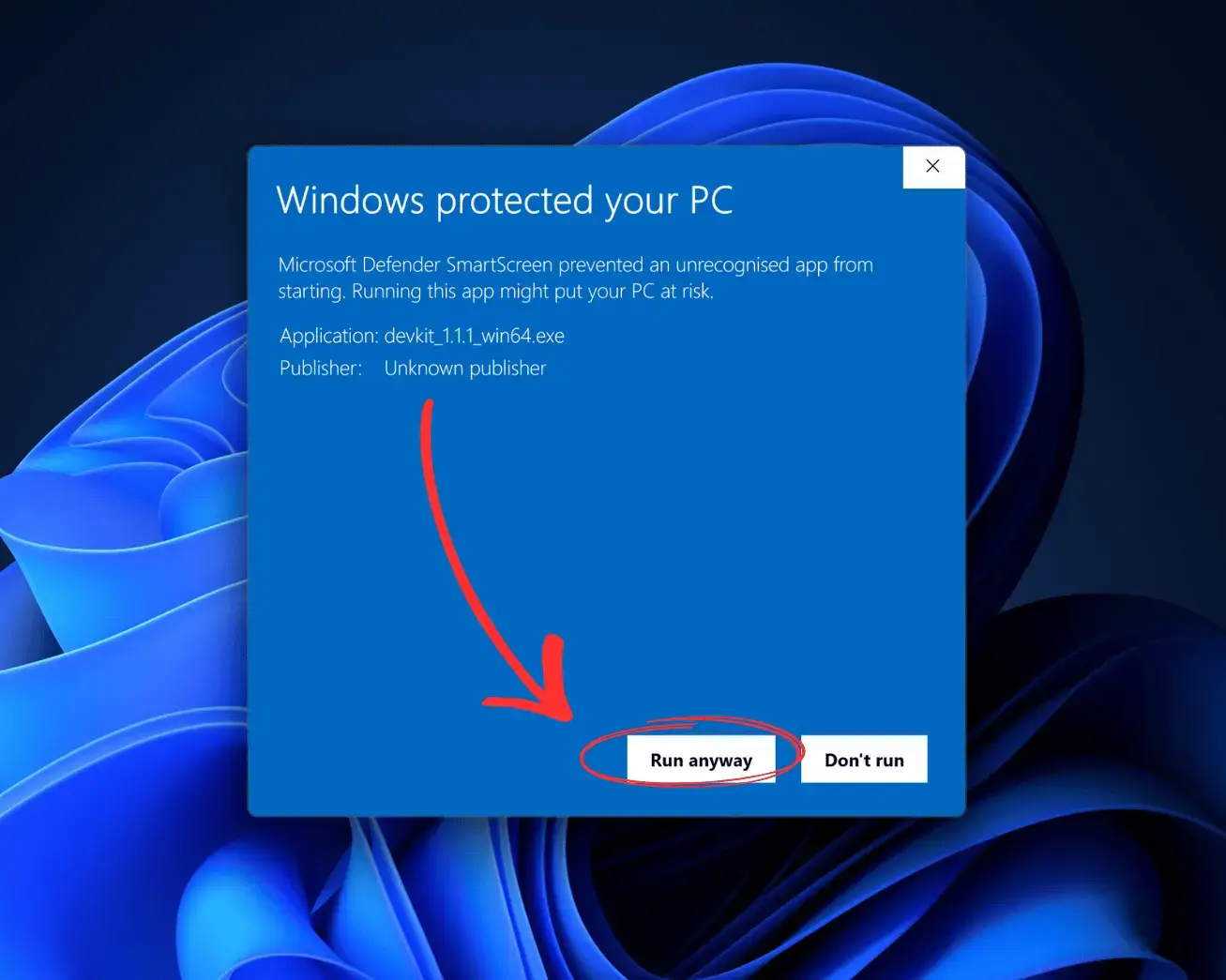
Step 2: Click "Run anyway"
3Run the Installer
Double-click devkit_1.1.3_win64.exe to start the installation wizard.
- Accept the license agreement
- Choose installation directory (default: C:\CodesEasy\DevKit)
- Select whether to create desktop shortcut
- Click "Install" and wait for the installation to complete
4Launch DevKit
After installation, DevKit will be available from:
- Start Menu → DevKit
- Desktop shortcut (if selected during installation)
- System tray icon for quick access
For complete installation instructions and troubleshooting, visit our documentation page.